claim your free profile, show off your specials, and get in front of people actively looking for your business.
claim your business
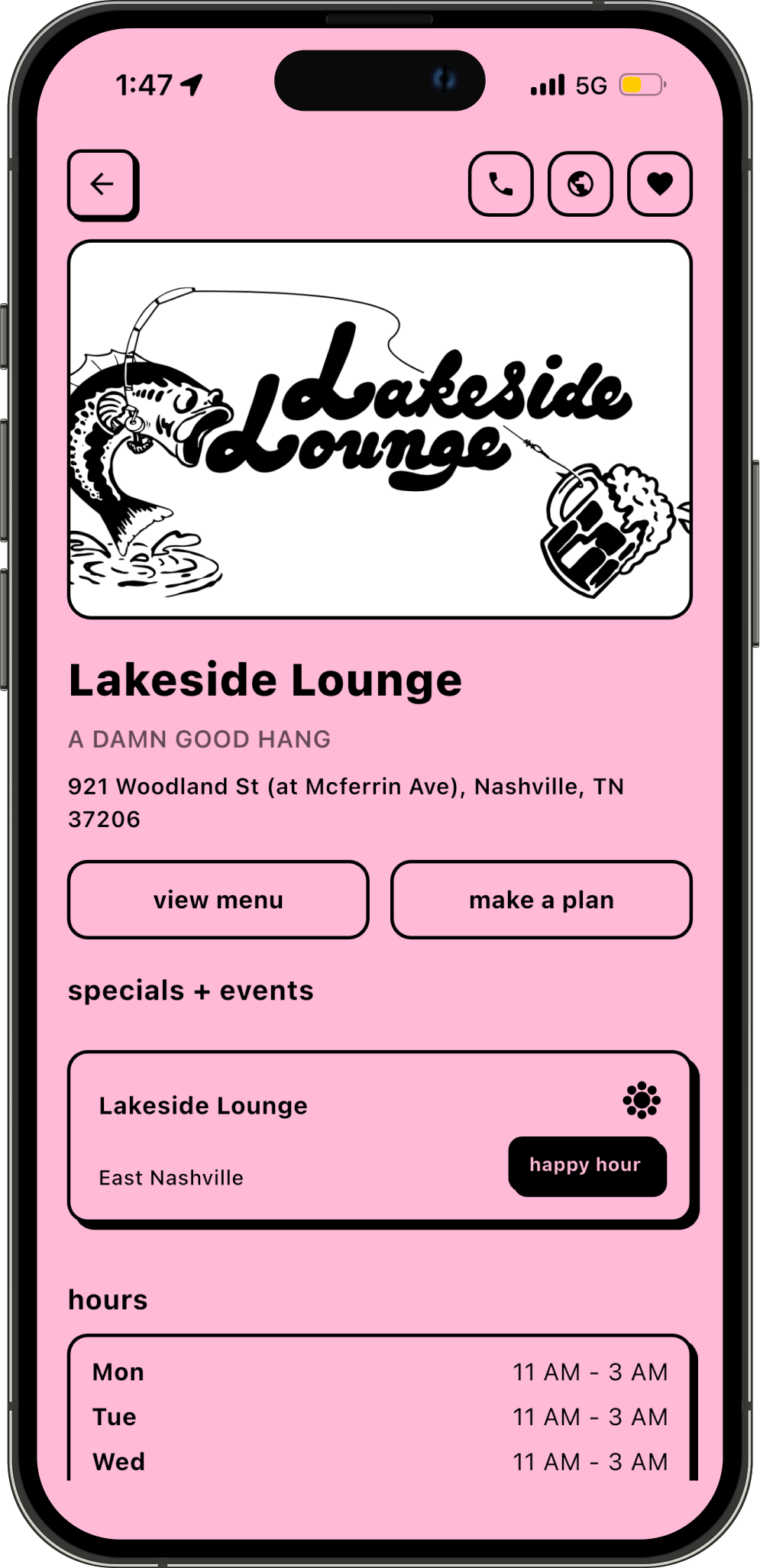
show up in search results by category and location.
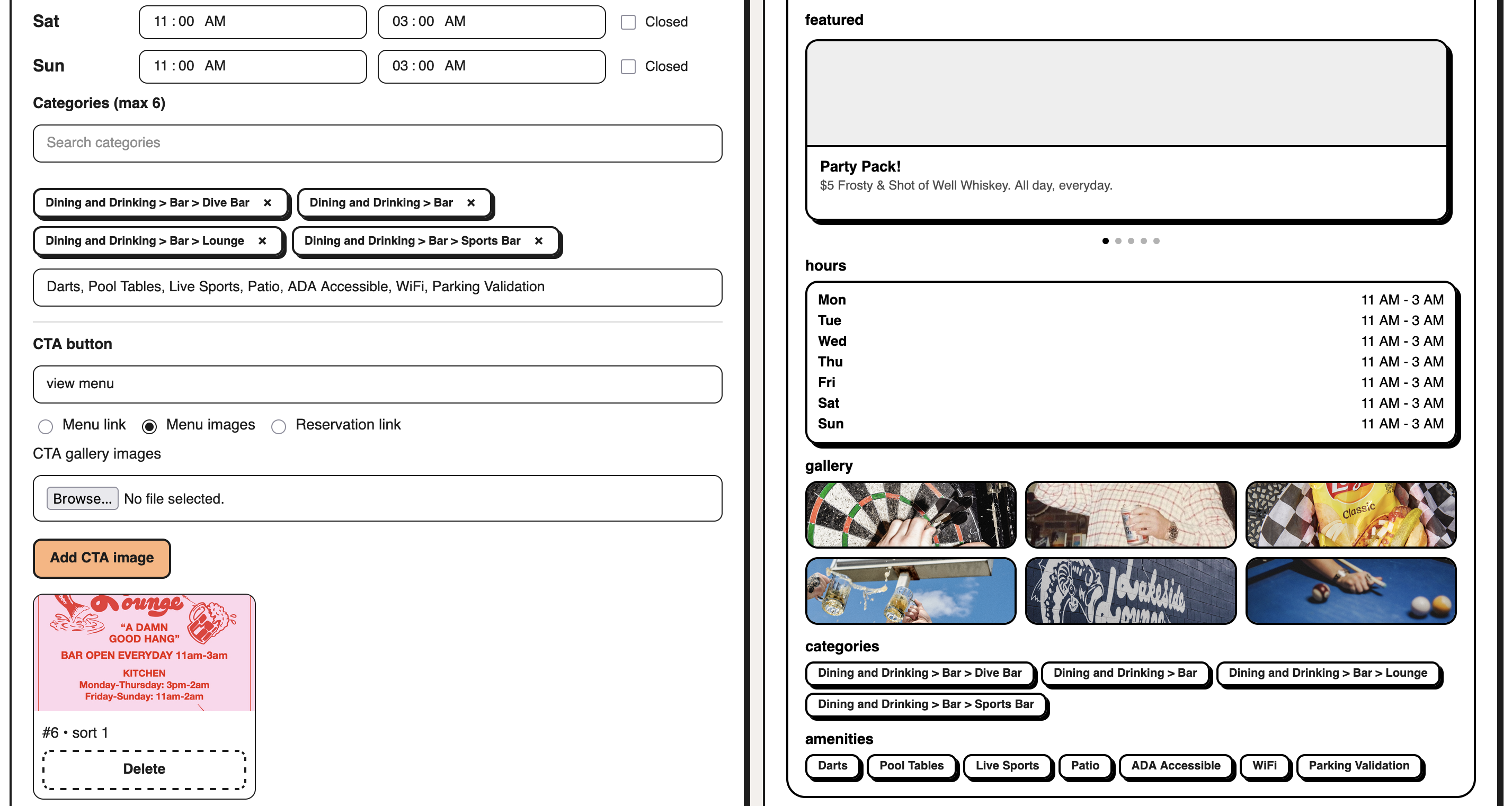
update your phone number, address, website, hours of operation, and more.
upload photos with captions to let people see what your business looks like.
list your deals so guests can quickly see what’s worth visiting for.
add custom tags to highlight your vibe, offerings, and what makes your business stand out.
monitor your page impressions, clicks, and plans our users are making to visit you.
go to berri.social/biz, search for your business on berri business portal, select the correct listing, and submit your claim with your business details, contact information, and login credentials. if your business shows up under berri businesses and foursquare, select the berri businesses option and then proceed. if your business does not show up in the search, just proceed with entering all the other information and press submit.
wait 1 to 2 business days while our team reviews and approves your claim. once approved, your business profile will go live on berri.
sign in to berri business portal using the credentials you inputted to claim your profile to edit your profile, upload your hero image and logo, add gallery photos, update hours and categories, and customize your profile details.
claim your free business profileyes. there is no charge to create a berri business profile. however, running ads and upgrading to a pro profile are paid services.
$0. there is no charge to list your business on berri.
go to berri.social/biz, click claim, and enter your business to get started.
a claimed berri business profile is one that has been verified and claimed by the owner or an authorized representative through our verification process. claiming a profile is free and does not mean the business is paying to advertise on berri. businesses can choose to upgrade to a paid pro profile for additional features, but claiming a page does not automatically enroll them in a paid plan.
most new business profiles are approved and listed on berri within 1 to 2 business days. some pages may take longer if additional verification is needed.
all new businesses go through a review process before appearing on berri. if you completed the claiming process and still don’t see your business listed, your page may still be under review. if you need help, contact us at support@berri.social.
to edit your profile, go to berri.social/biz, click sign in, and log in with the credentials you used when claiming your profile. from there, you can access and update all editable fields on your business profile.
people can find your business by searching for categories, keywords, or your business name in your service area or the city where your business is located.
yes. depending on the information you choose to share, people may call you, visit your website, or route themselves to your location.
don’t settle for impression counts. berri shows how many people are actively planning to visit your business, giving you a more rich conversion metric for measuring real foot traffic growth than simple clicks on a “route me” button. businesses use berri to build their online presence, manage their reputation, and attract new customers. berri for business offers self-serve tools to share photos, hours, services, specials, and other important details. businesses can create or claim a page, update information at any time, and choose to upgrade with a pro profile or berri ads for greater visibility and reach.
our free berri business profile service gets your business listed in search results at no cost when users are searching for you. businesses looking for additional exposure, including more prominent placement throughout the app, can upgrade to a paid pro profile for enhanced tools, greater visibility, and access to berri ads.
the first step is creating a free berri business profile, allowing your business to appear in top sponsored search results and on users’ home screens. once your profile is verified, you can also list specials on your page for free. businesses looking for additional exposure can advertise through berri ads in sponsored results and on users’ home screens, or upgrade to a paid pro profile to unlock enhanced paid features.
yes. businesses must upgrade to a pro profile to use berri ads. a pro profile costs $24.99 per month and is deducted from your ad budget balance. if your account has a $0 or negative ad budget balance, the payment method on file will be charged if your pro profile subscription is still active. if your payment method does not go through, your pro profile subscription will be canceled and access to these features including ads will be lost until the subscription is renewed. this does not mean your free profile will be delisted from the app.
berri ads have a very simple pricing structure. businesses are charged from their ad budget balance through levers such as cost-per-click, cost-per-thousand-impressions, or cost-per-plan pricing. standard fixed rates are $2.00 per click, $3.00 per thousand impressions, and 1% of group spend when users make plans to visit your business.
for example, if your average bill is $10 and 10 people make a plan to visit that is not canceled, $1 is deducted from your ad budget balance. if the users cancels the plan before the set date and time, your business will not not be charged.
you will not be charged when a user organically searches for your business by name and clicks your page. you are only charged when you have a positive ad budget balance and a user clicks your special listed on their home screen or selects your business if it's one of the top two sponsored search results. without a positive ad budget balance, your paid listings will not appear, but your business page will still remain active and searchable.
for the time being, all businesses currently receive free pro profiles and berri ads as our way of saying thank you for helping us grow and improve the customer experience for all businesses :)
we review your menu prices, business type, and several other factors to estimate your average spend per guest. if you disagree with our estimate, we’re happy to work with you and adjust it. this is not required but the most helpful way to verify this is by sharing a screenshot from your POS dashboard showing the same metric. for example, in Toast, this is labeled “Avg / Guest.”